Portfolio

We build and test apps, AI tools and connected systems around challenges in life and work. Explore what each product does, what we have learned and where further development could take it.

Discuss a project
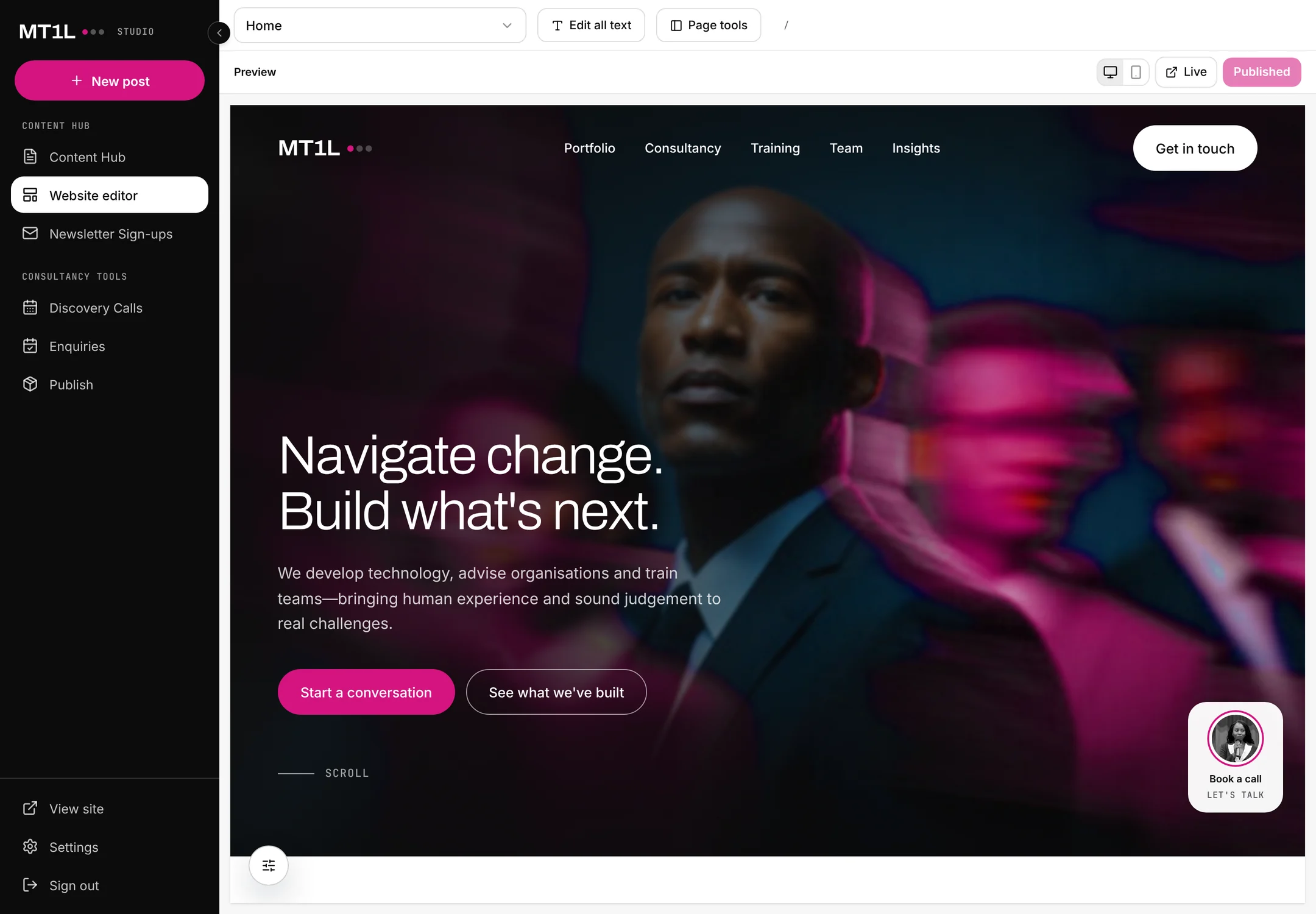
Connected Studio: editing the website with a live preview
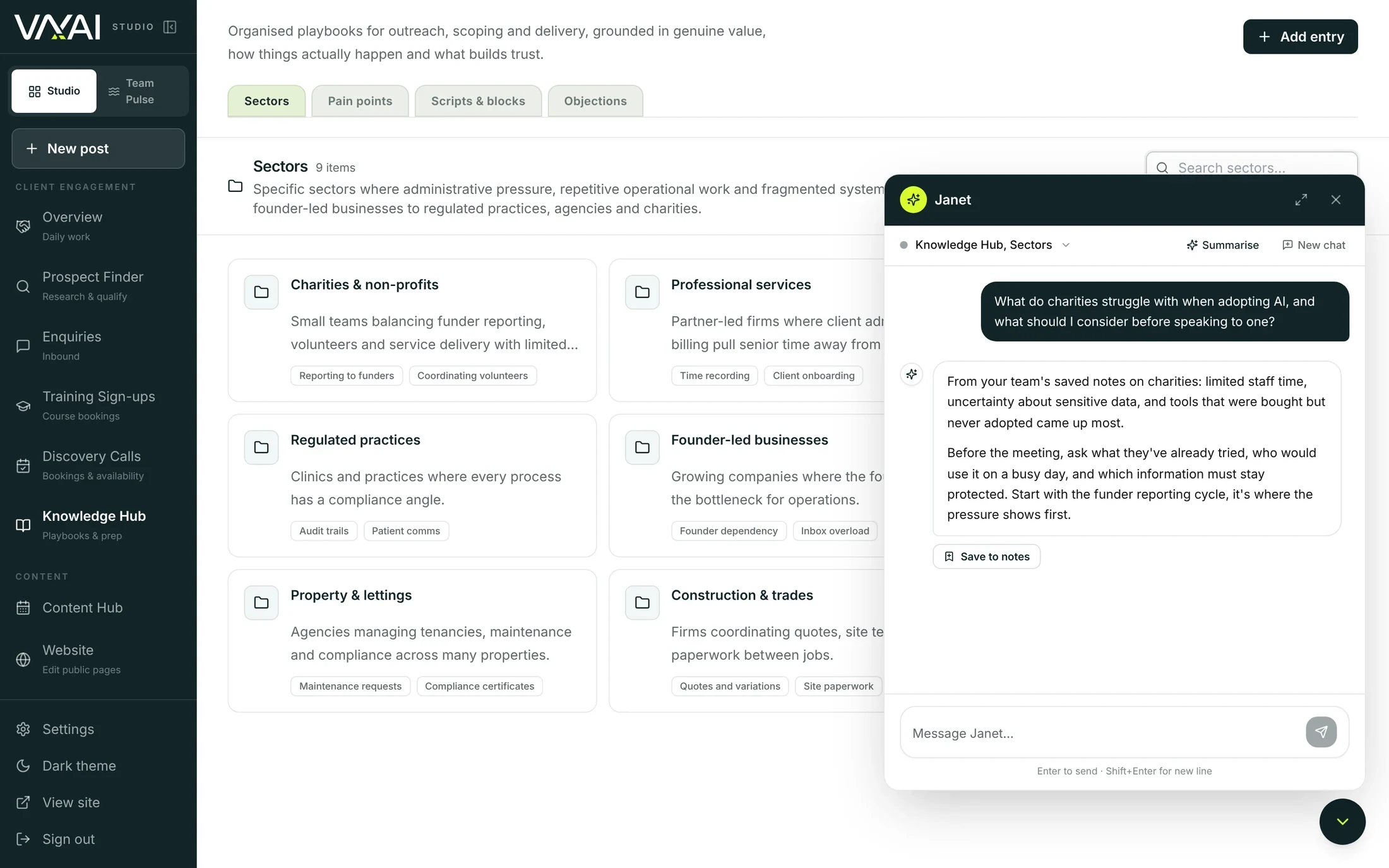
Knowledge Hub with the team chat open
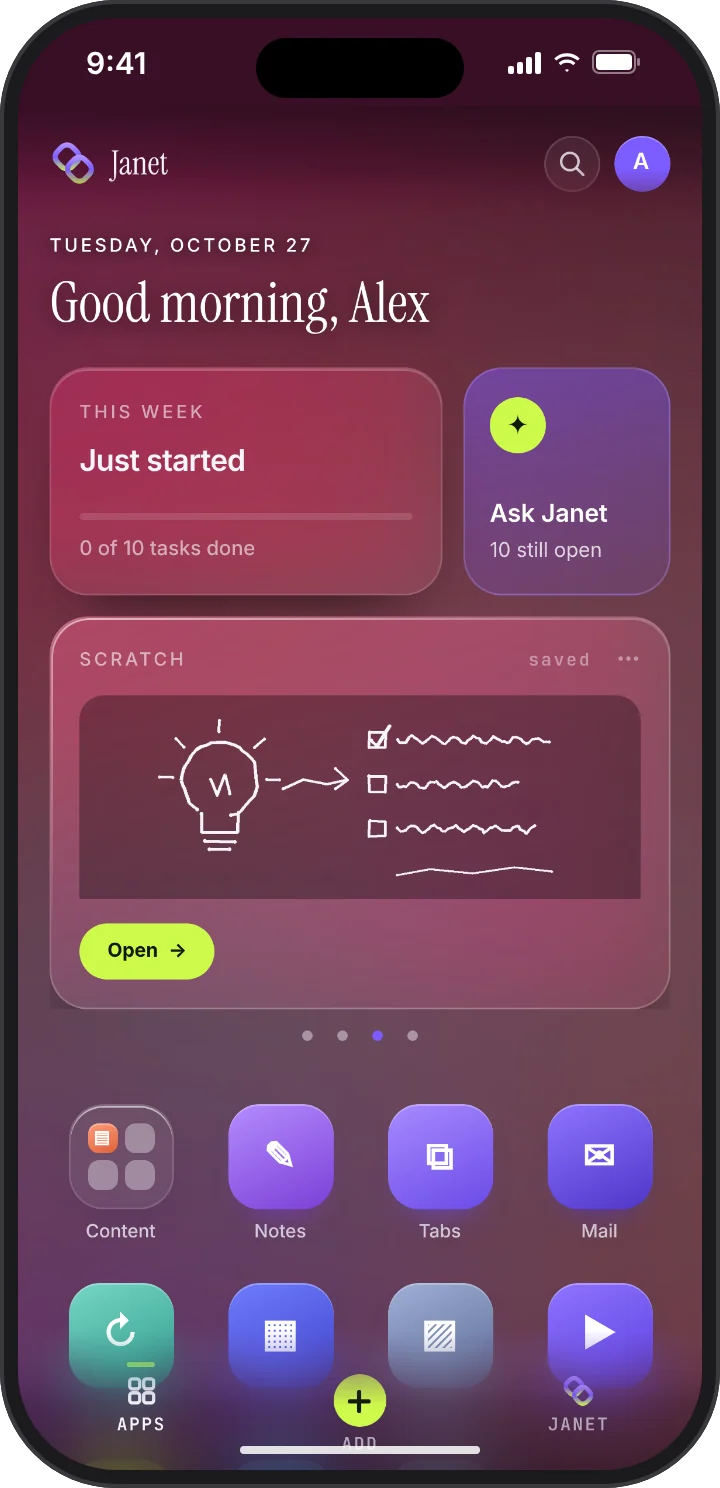
Janet home screen with the Scratch widget for scribbled ideas

How we build thoughtfully

What works matters more
than what’s possible.

Prototypes let us test what is useful, learn from feedback and understand what further development would require.

How we choose what to build

Start with the problem. Learn from the build.

01

Start with the problem.

We look at everyday friction, gaps between existing tools and barriers that keep people from taking action.

02

Build to learn.

Prototypes make it possible to test assumptions, get feedback and decide what to improve, change or stop.

03

Know where expertise matters.

AI can accelerate development. Engineering, accessibility, security and human judgement still determine what is safe and ready to use.

Portfolio

01 · Janet / Personal AI

Design the app you need.
Keep it in Janet.

AI makes it easy to build a new app for every idea, but each one needs its own account, storage and space on your phone. Janet AI builds them inside Janet instead.

Everything you make lives in one place, with one sign-in, one home screen and one assistant that works across all of it.

01Design it in Janet AI
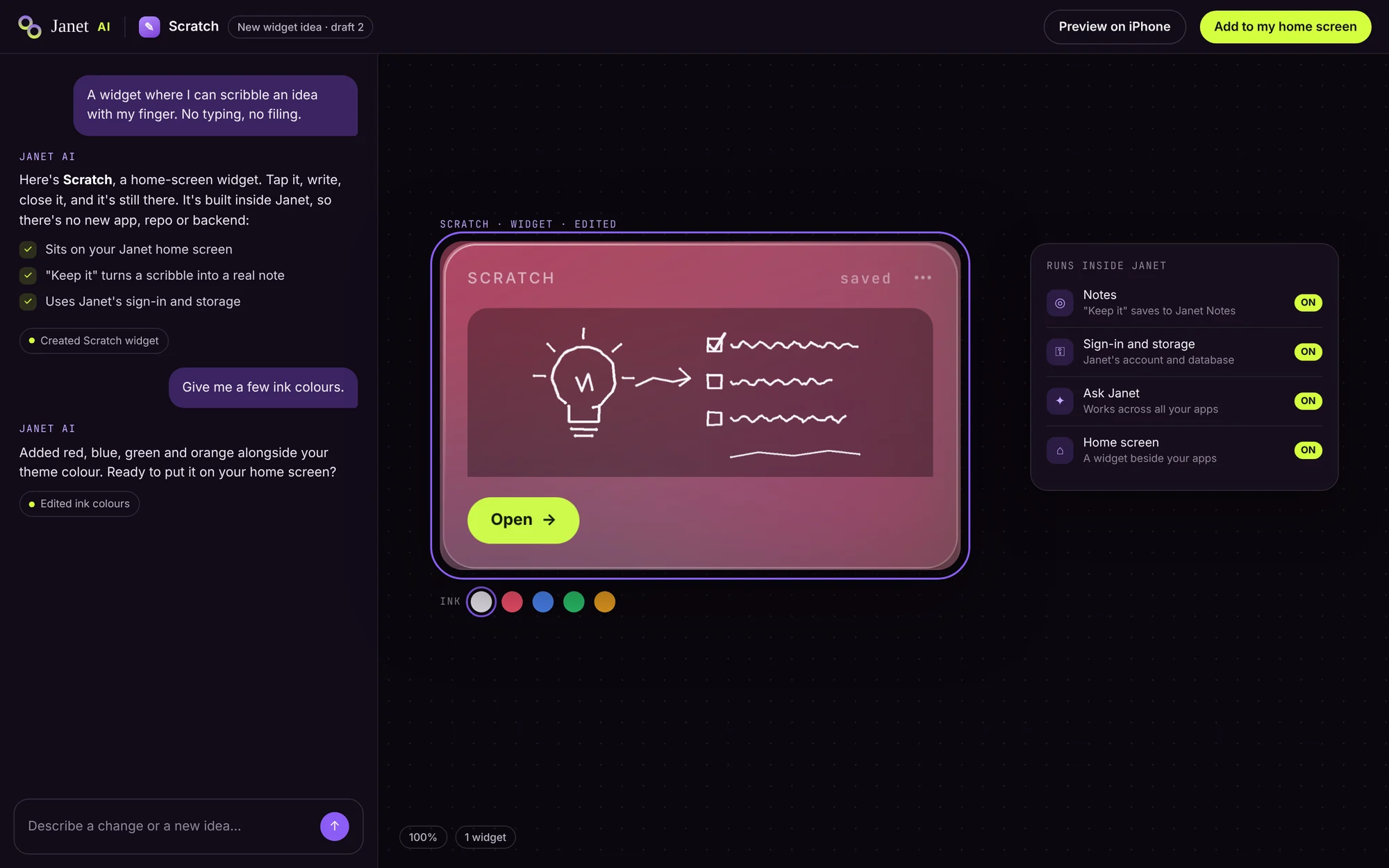
Janet AI on desktop: a chat designing Scratch, a widget for scribbling ideas, shown on a canvas with its ink colours and what it gets from Janet without setup
The Janet home screen on iPhone with the new Scratch widget showing a scribbled idea
02It's on your home screen

02 · Connected Studio / Business systems

Less switching.
More working together.

More than a website: a backend built around how your organisation works, so publishing, enquiries and scheduling run from one place instead of separate systems.

Keep the website moving
Draft, preview and publish page changes without reopening the code.
Connect the work
Manage content, newsletter drafts, sign-ups, enquiries and resources in the same workspace.
Connected Studio: editing the home page heading, with the preview updating live

Inside Connected Studio / Built-in scheduling

One less subscription.
One connected workflow.

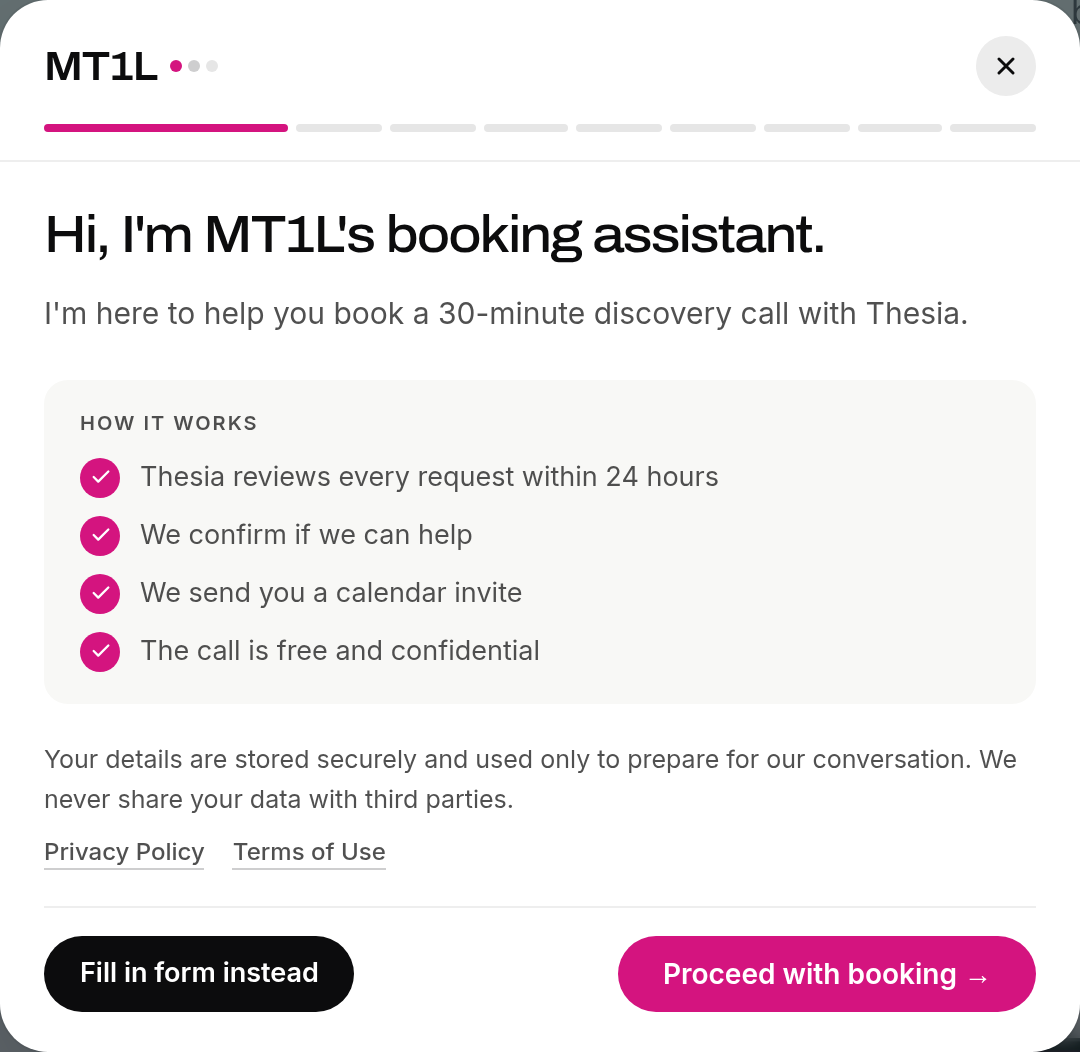
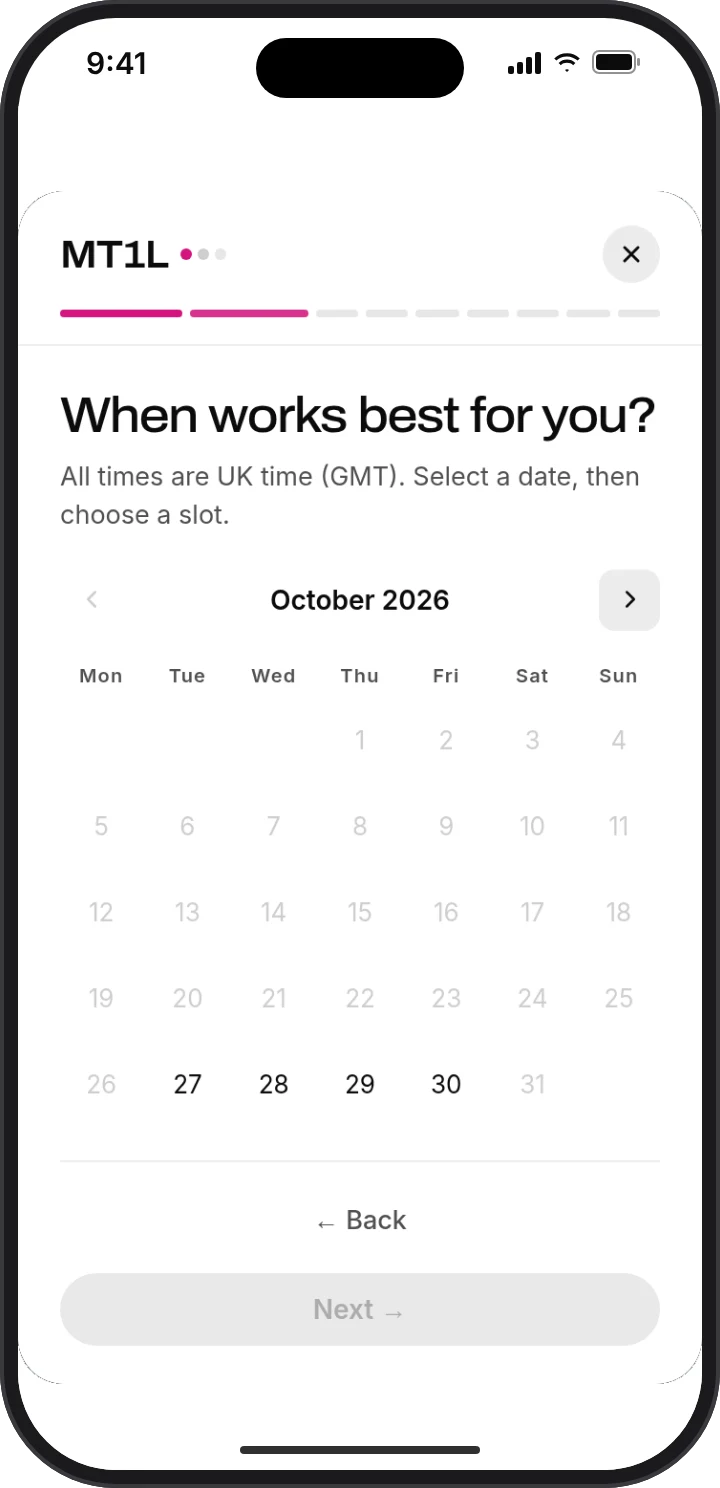
A discovery-call booking tool built into our website and enquiry process.

The welcome and date selection shown here come from our working tool. Open it to request a call; our team reviews each request.

The actual MT1L booking assistant welcome and explanation of the discovery callChoosing a date in the actual mobile booking experience; open the booking tool for current availability

Inside Connected Studio / Content

From planning to publishing,
in one place.

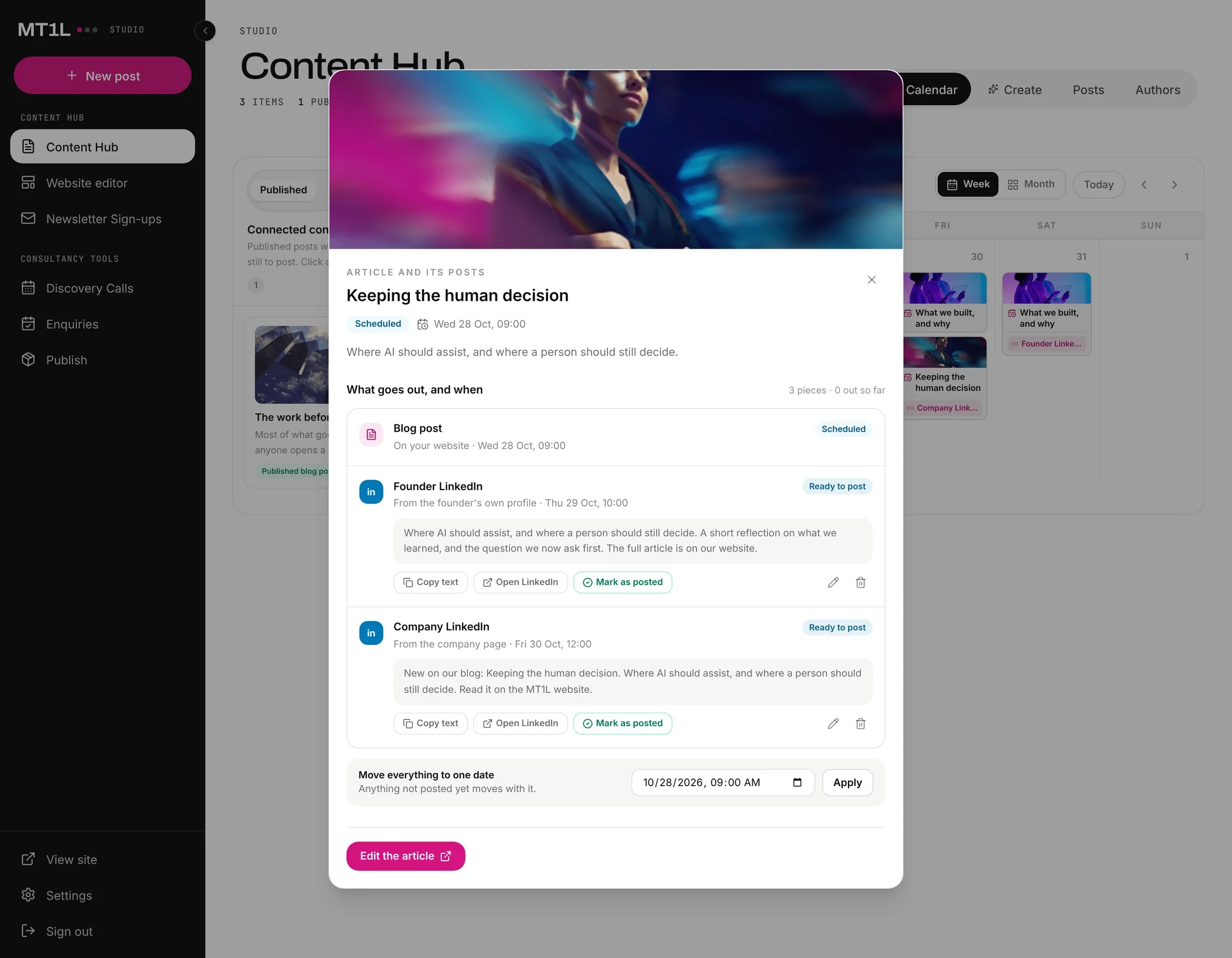
Plan, draft and schedule posts for each platform from one content library. Use AI for ideas, a first draft or not at all, and check every post before it goes out.

Content planning: an article with its Founder LinkedIn and Company LinkedIn posts, each with its date and status

03 · FinTrack / Money

A clearer picture
of where money goes.

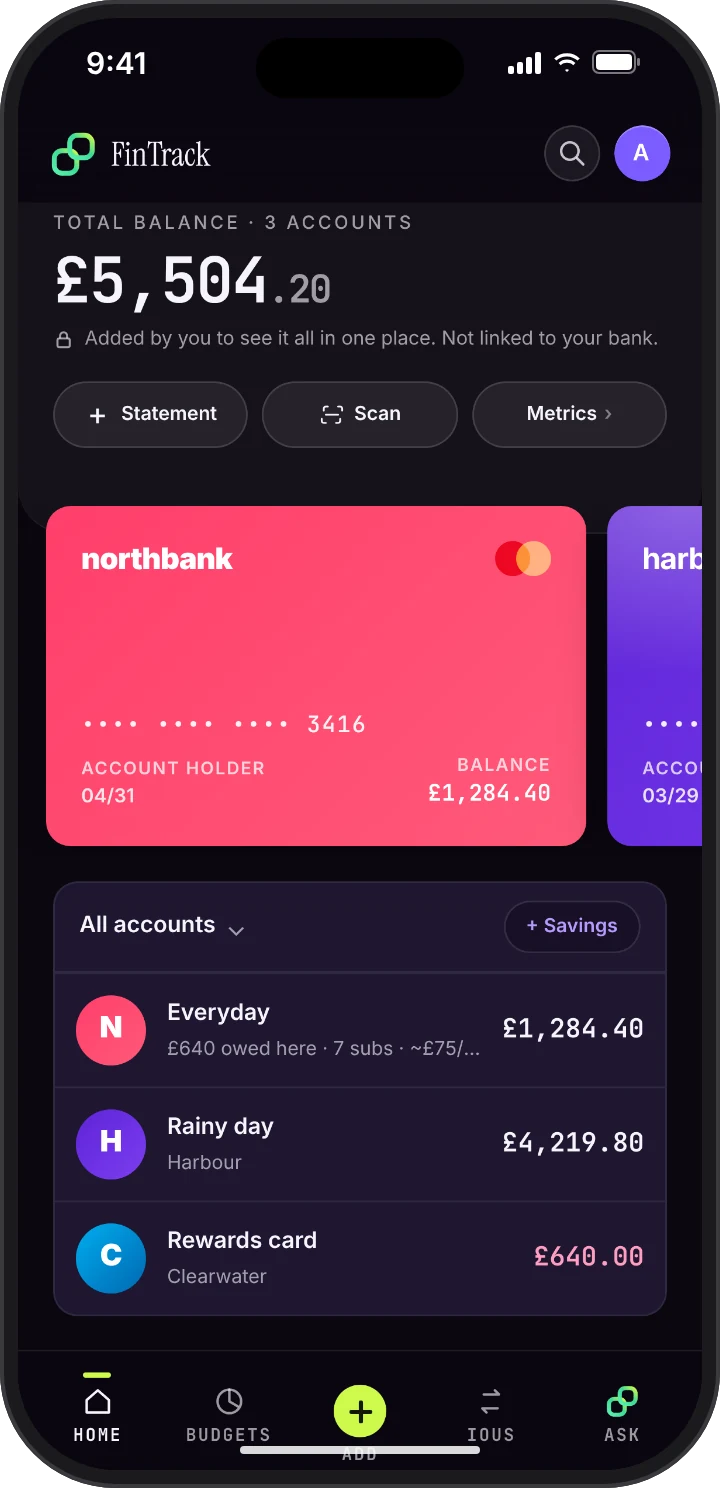
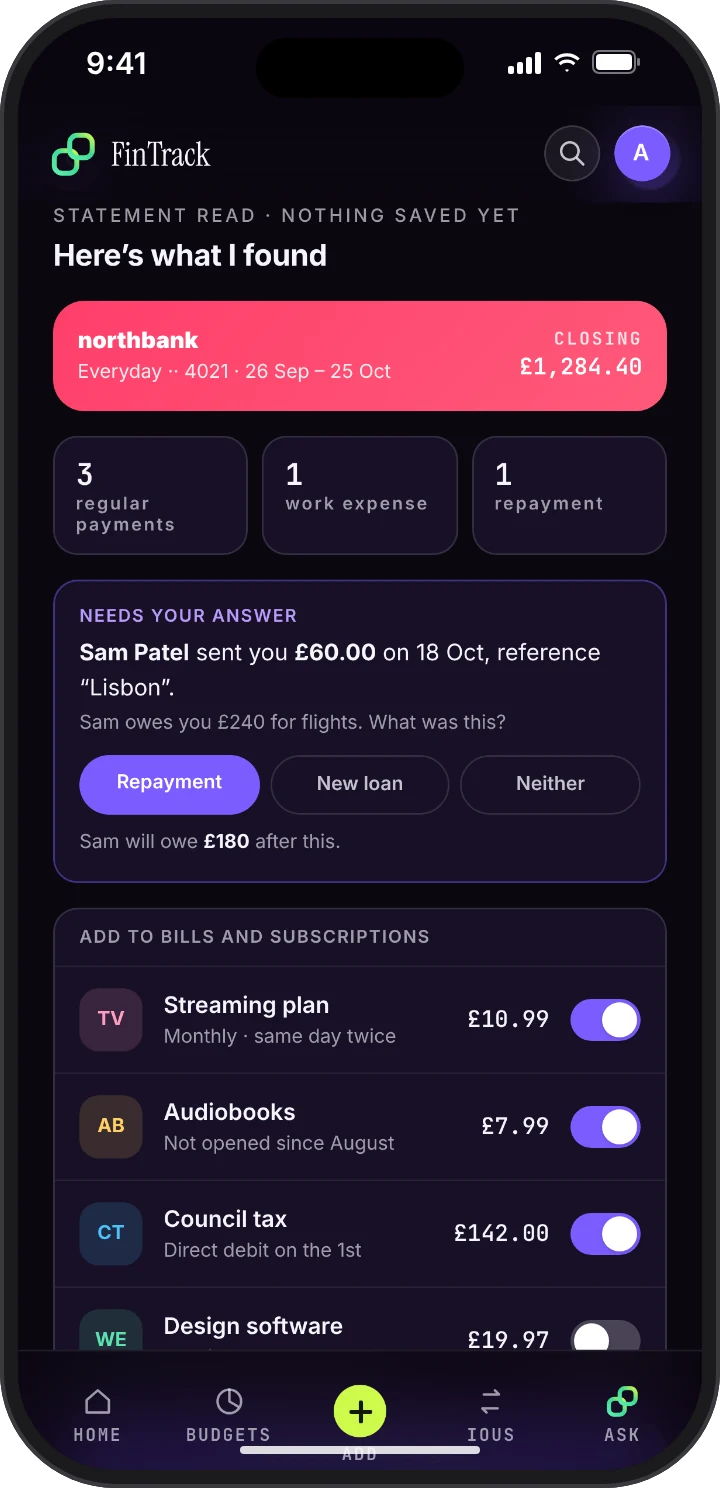
Upload your statements and FinTrack sorts each transaction, spots recurring payments and flags possible expenses for you to review.

FinTrack does not connect to your bank.

FinTrack home: total balance, coloured cards and accounts, with a note that accounts are not linked to a bankFinTrack reading a statement: subscriptions found, a question about a repayment from a friend, and changes to approve

04 · Knowledge Hub / Built for VAxAI

Put what your team learns
to work.

A shared knowledge resource built for VAxAI. The team adds research and experience, and the AI assistant helps them find it and prepare for conversations.

It answers from the information in the Hub, so the team can check the source and bring its own judgement to each conversation.

VAxAI Knowledge Hub with sector profiles, pain points, scripts and objections, and the chat answering from the team's notes

05 · NotesKeep / Notes

Lots of ideas.
One place to keep them.

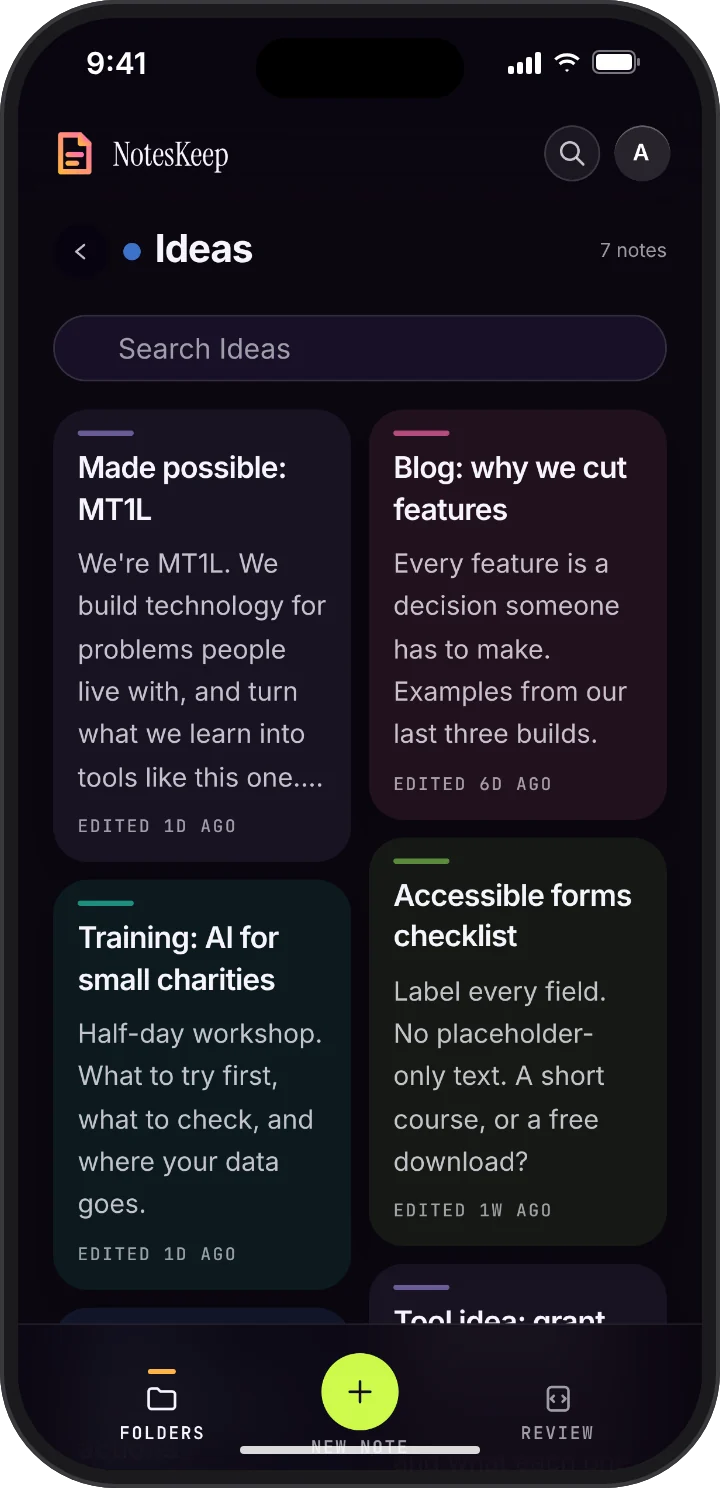
Capture a thought quickly, type a note or use Siri dictation. Organise notes into folders so they are easier to find when you need them.

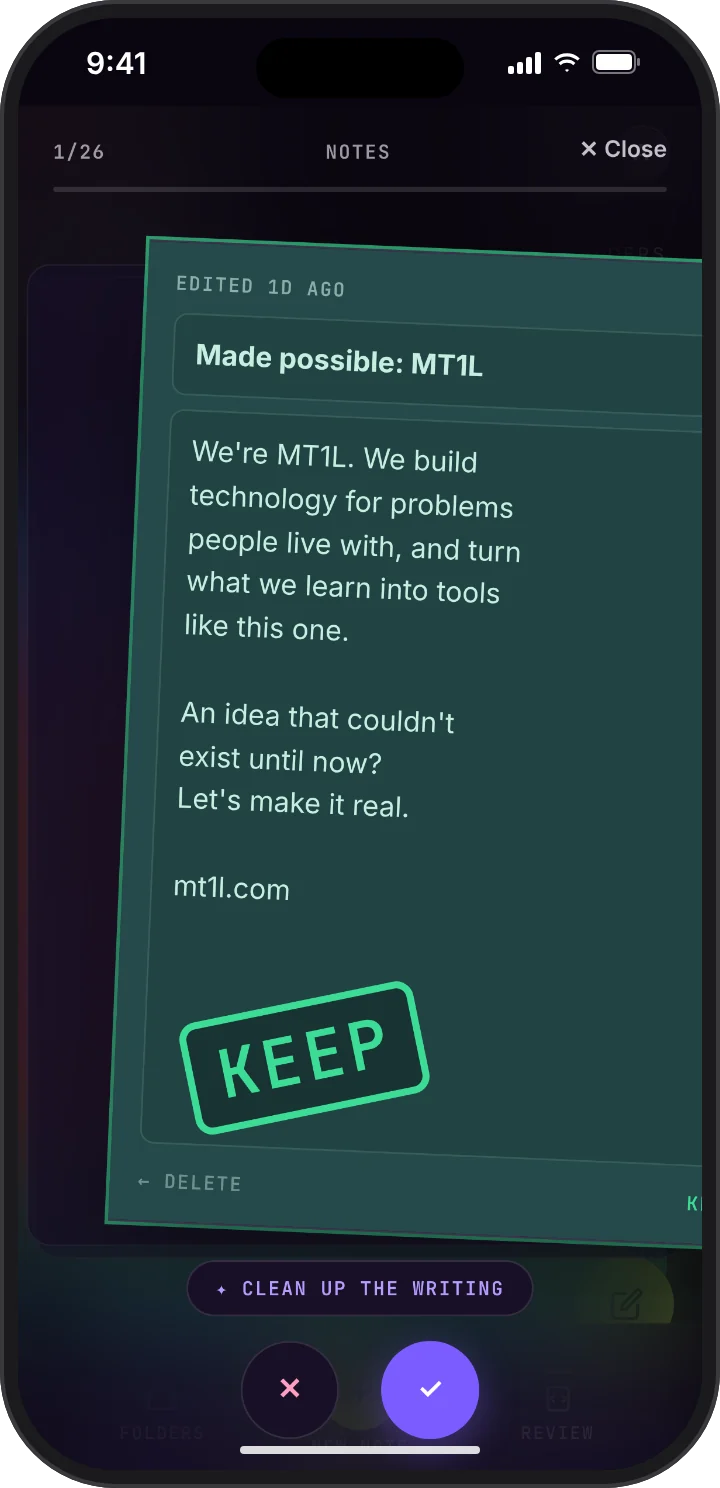
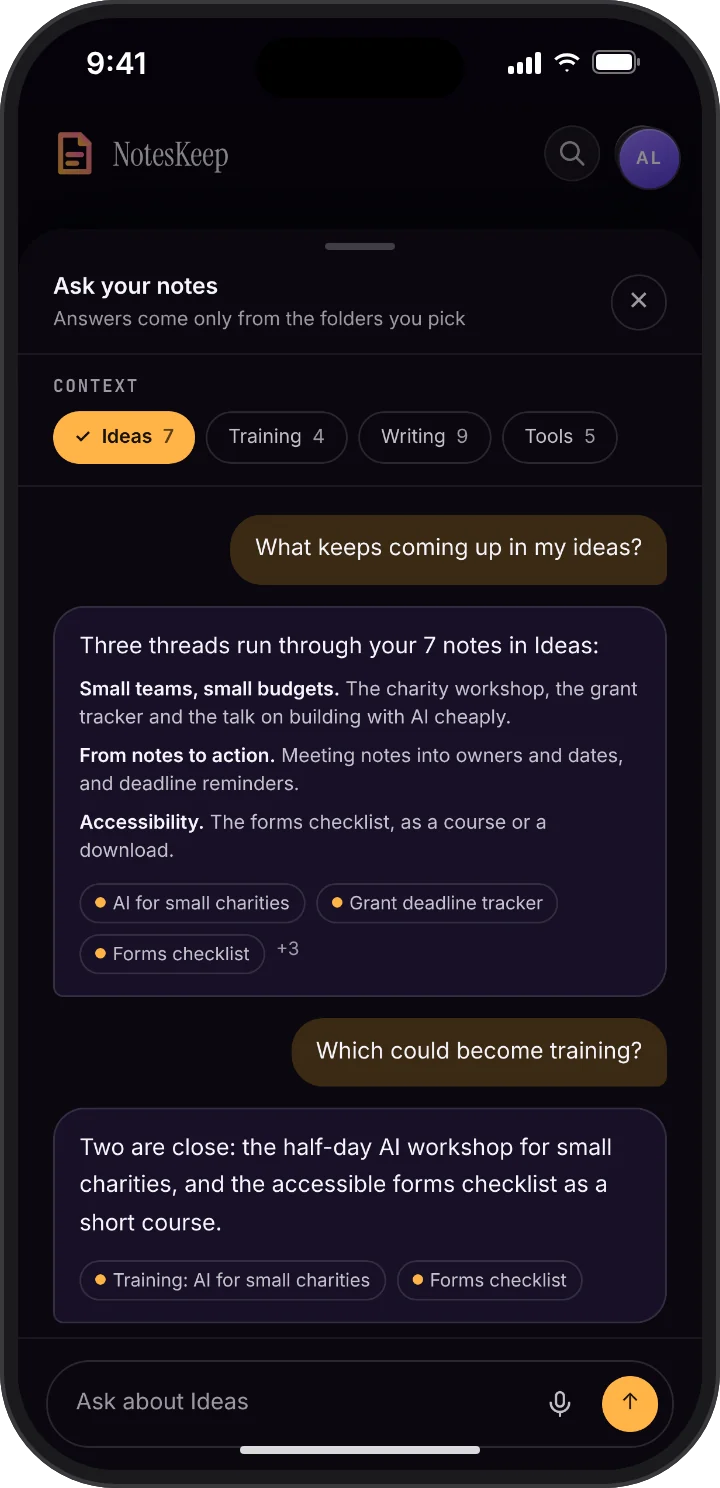
Review them one at a time: swipe right to keep a note or left to delete it. Then ask a question about any folder.

NotesKeep: an Ideas folder of quick notes on tools to build, training to run and topics to write about, with a note from MT1L firstNotesKeep review: a note swiped right, glowing green and stamped KeepAsk your notes, with the Ideas folder chosen as context: the themes across seven ideas for tools, training and writing, and which could become training, each answer linked to its notes

06 · Track2Work / Careers

From finding an opportunity to acting on it.

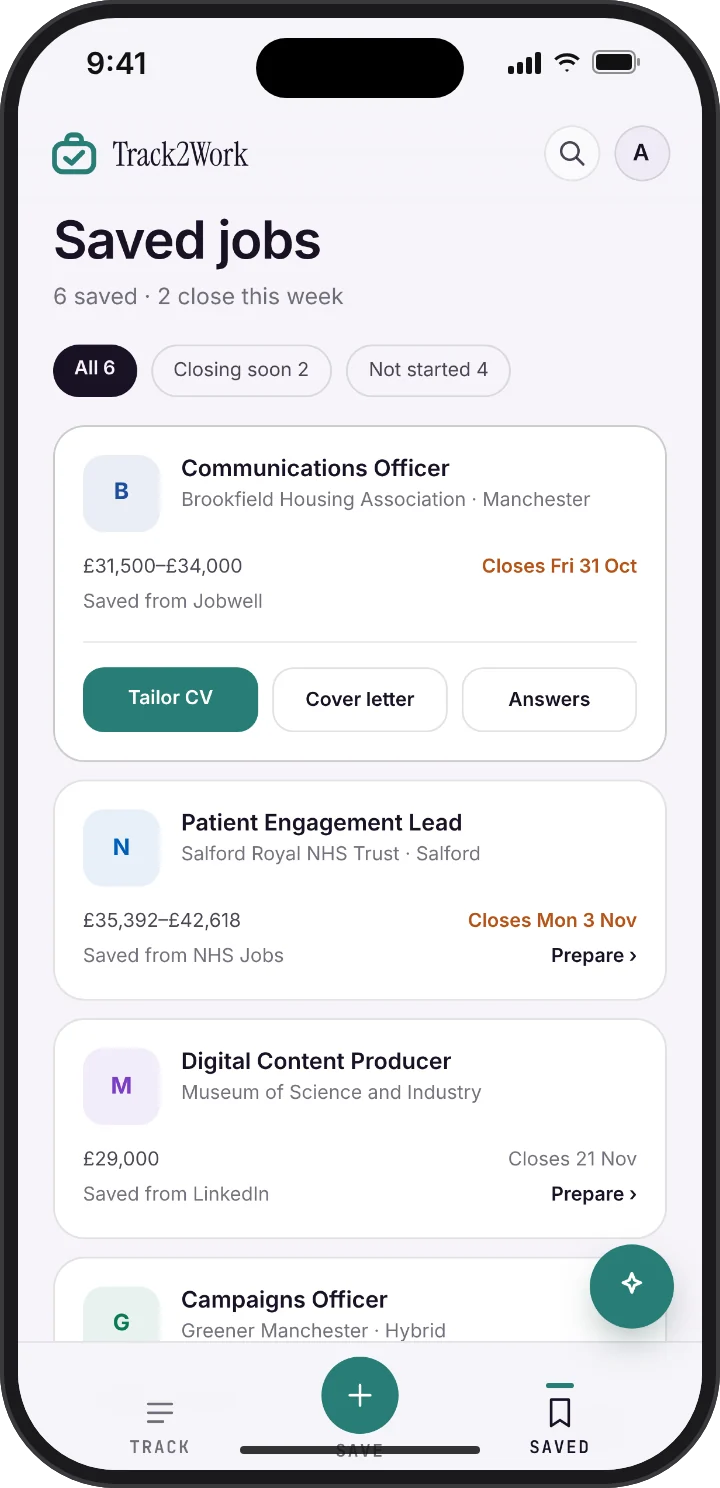
Save job adverts from different websites into one place, prepare applications and track what happens next. Track2Work connects the steps between discovering a role and applying for it.

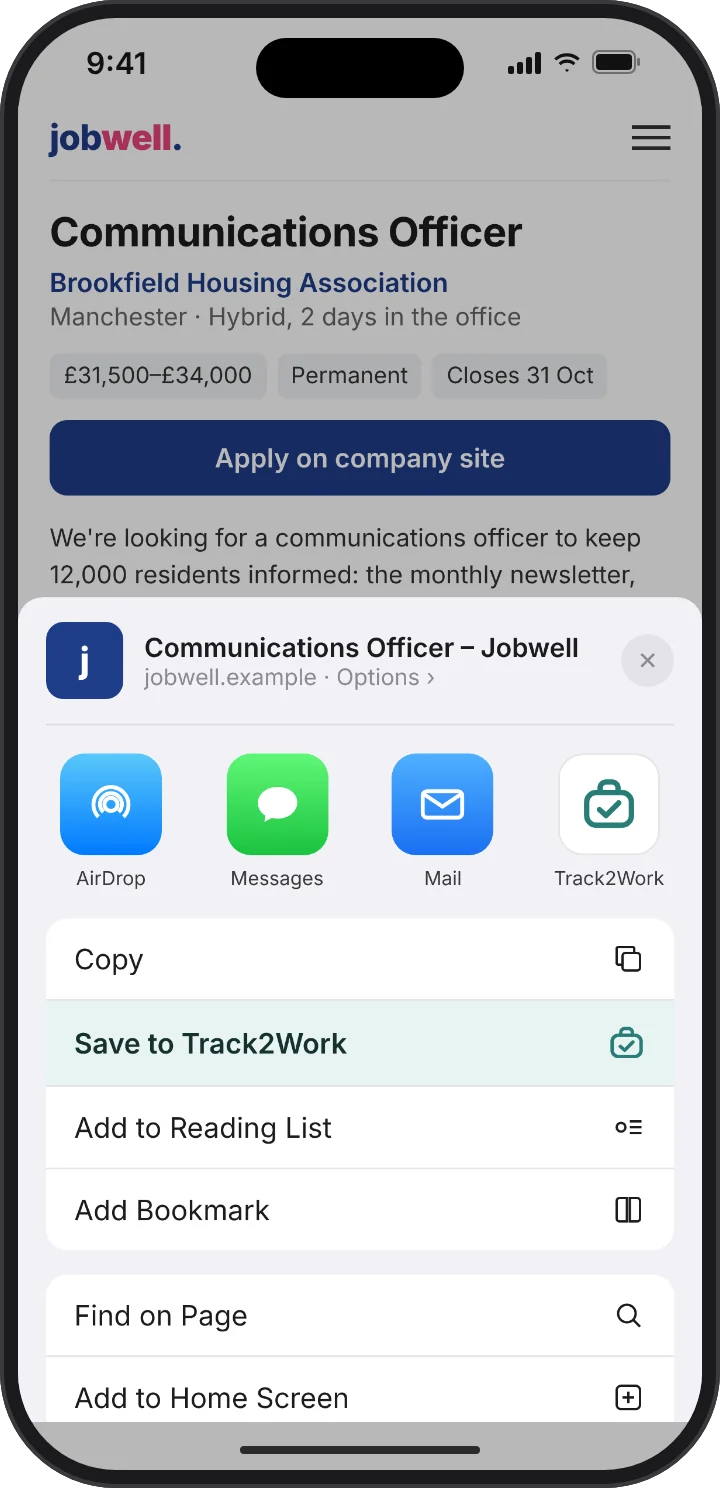
  1. 01SaveUse your phone’s share menu to choose “Save to Track2Work”. Find roles from different sites together in the Saved page.
  2. 02PrepareSelect a saved role, review CV changes and prepare a cover letter or application answers.
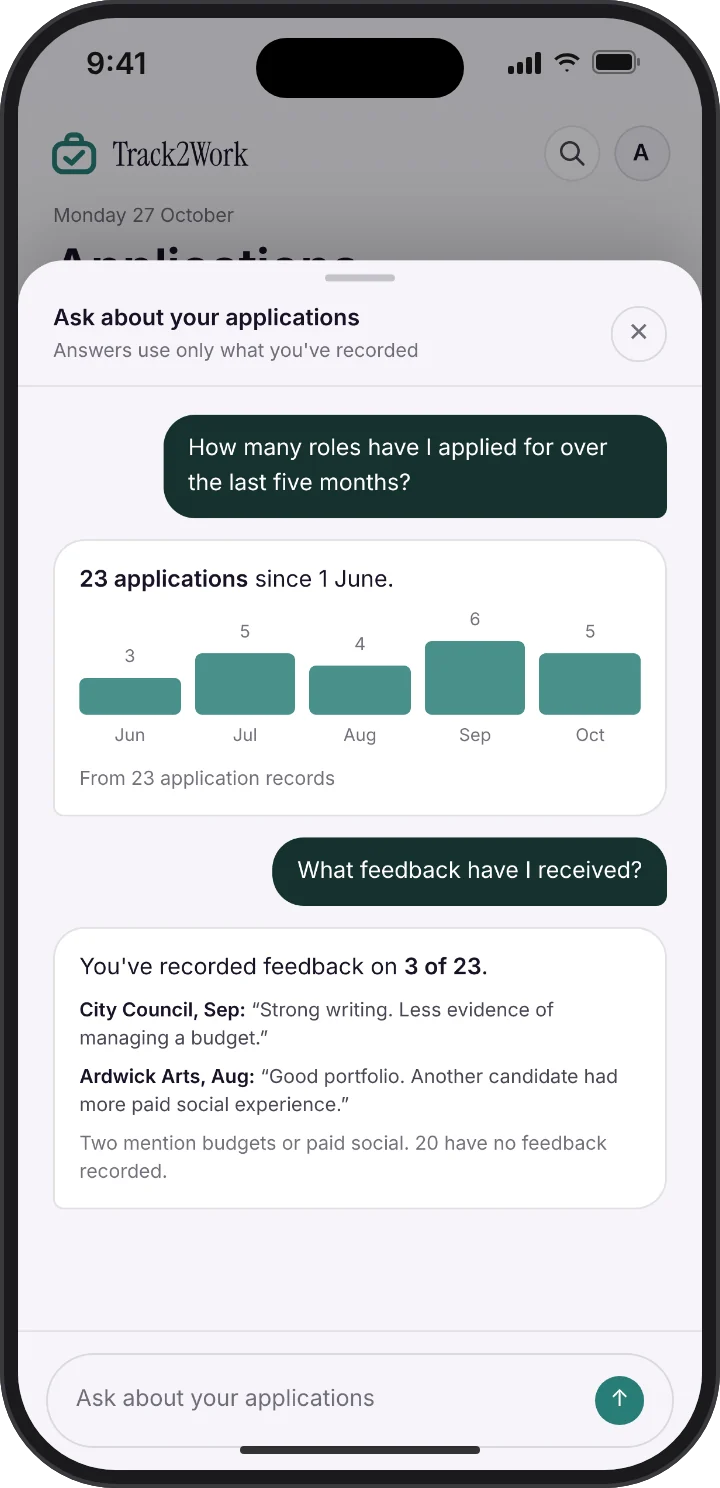
  3. 03Track and askSee upcoming deadlines and applications ready to send. The floating AI assistant can summarise applications and feedback you have recorded.
A Communications Officer advert in Safari, with the share sheet open on Save to Track2Work.
Saved jobs from Jobwell, NHS Jobs, LinkedIn and Guardian Jobs, the first open with Tailor CV, Cover letter and Answers.
The Track2Work assistant showing applications by month and the feedback recorded on three of them.

Take the next step

Where could we take this next?

Invest in what we’ve built

Interested in helping one of these products develop further? Let’s explore the fit.

Get something built

Have a challenge that existing tools do not solve? Talk to us about building around it.

See it working

Explore a demo and ask what a product can do today, before deciding what comes next.

Your next project

What could work
better for you?

  • Bring a problem, an opportunity or an idea.
  • We can discuss what is feasible before agreeing a build.
  • You do not need a technical brief to start.

Prefer to talk? Skip the form and book a 30-minute call.